Break Down License Counts for This Row
As described above, the license pool stores records from the purchasing perspective. The license balance then evaluates these records for reconciliation, so the calculated number of usable licenses may differ from the raw quantities entered in the pool. The itemization function shows exactly which license records contribute to a calculated total.
„Microsoft Office Standard 2010“
Right-click on this entry and select the itemization function. The upcoming window shows quickly how the numbers can be derived:
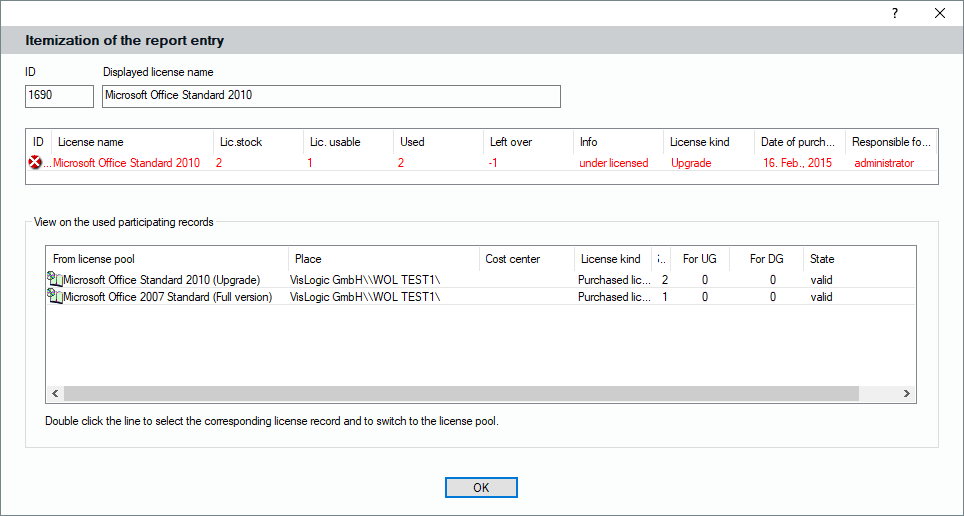
The example shows how the reported license state is derived. The Office Standard 2010 entry contains two upgrade licenses. To form valid full licenses, the same number of eligible base licenses is required, but only one base license is available. The resulting license balance therefore shows one valid license against two installations, indicating under-licensing. Double-click a license record to open the corresponding entry in the license pool.