


Collect
Reach more systems
Active scans, scan on logon and e-mail inventory address different network situations.
Explore inventory →A product by  VisLogic GmbH.
Lan-Inspector Enterprise inventories large Windows environments in a short time with its ParallelScan Engine and brings software, hardware, license stock and actual usage together in one central data foundation.
This gives IT management, procurement and license managers a clear view of where licenses are missing, unused or generating unnecessary cost – and delivers reliable data for purchasing, licensing, reporting and operational decisions without a lengthy implementation phase.
Performance depends on network architecture, reachability, server resources and administrative permissions.
Lan-Inspector creates a shared data foundation for IT, procurement and license management. Systems are inventoried, installations are reconciled with license stock and usage, savings potential becomes visible, and results are then delivered automatically to the people responsible.
The same data supports the complete process – from the first inventory through recurring license assessments to management reporting.
Active scans, scan on logon and e-mail inventory address different network situations.
Explore inventory →Installations, license stock, metrics and usage data become defensible license balances.
Explore license management →Almost any query can be stored as a template, scheduled and delivered repeatedly.
Explore automation →Roles, functional permissions and location restrictions align access with each task.
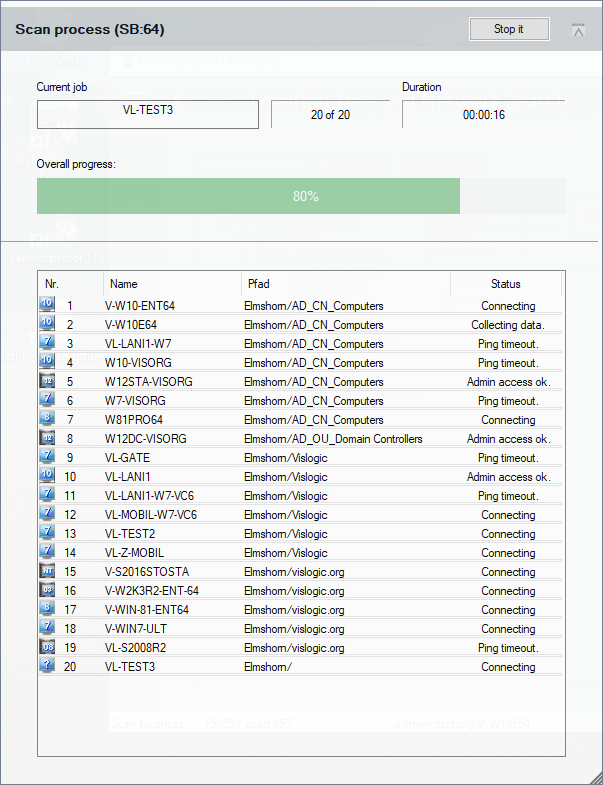
Explore administration →Installation is typically completed in about ten minutes. The ParallelScan Engine can then inventory reachable systems at scale. With suitable infrastructure and administrative permissions, approximately 5,000 systems can be inventoried in about 20–30 minutes; the results are immediately available for analysis, license balances and reports.
Where active scanning cannot reach every device, scan on logon and e-mail inventory complete the picture. The methods can be used individually or in combination, without requiring a mandatory multi-week implementation or consulting phase before useful results become available.
Lan-Inspector provides the data foundation for planning company-wide Windows migrations and tracking their progress at any time. Which systems are still running Windows 10? Where are older servers or clients located? Which computers have already been migrated? Instead of compiling remaining systems manually, they become centrally visible and easy to evaluate.
Existing, legacy or separately maintained inventory databases can also be consolidated into a common data basis. This creates a central view of historically grown inventories without discarding inventory data that has already been collected.
Evaluate client and server systems by Windows version, location or organizational unit and track migration progress centrally.
Consolidate legacy, separate or existing inventory databases into a common data basis and continue using information already collected.
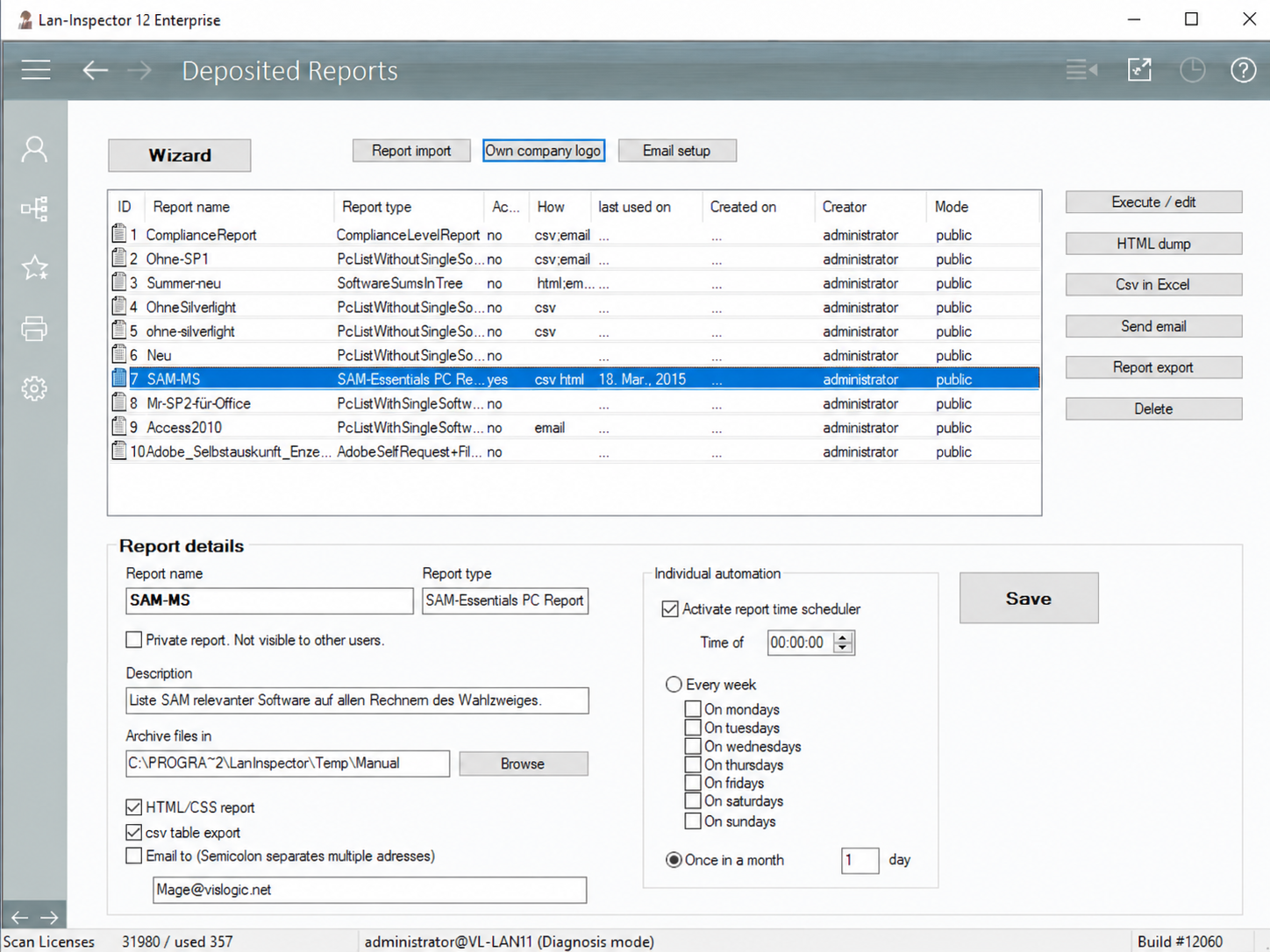
Almost every relevant view or query can be stored as a report template including parameters, filters and column layout. The Enterprise Server applies those templates to current data—on demand or automatically on a schedule.
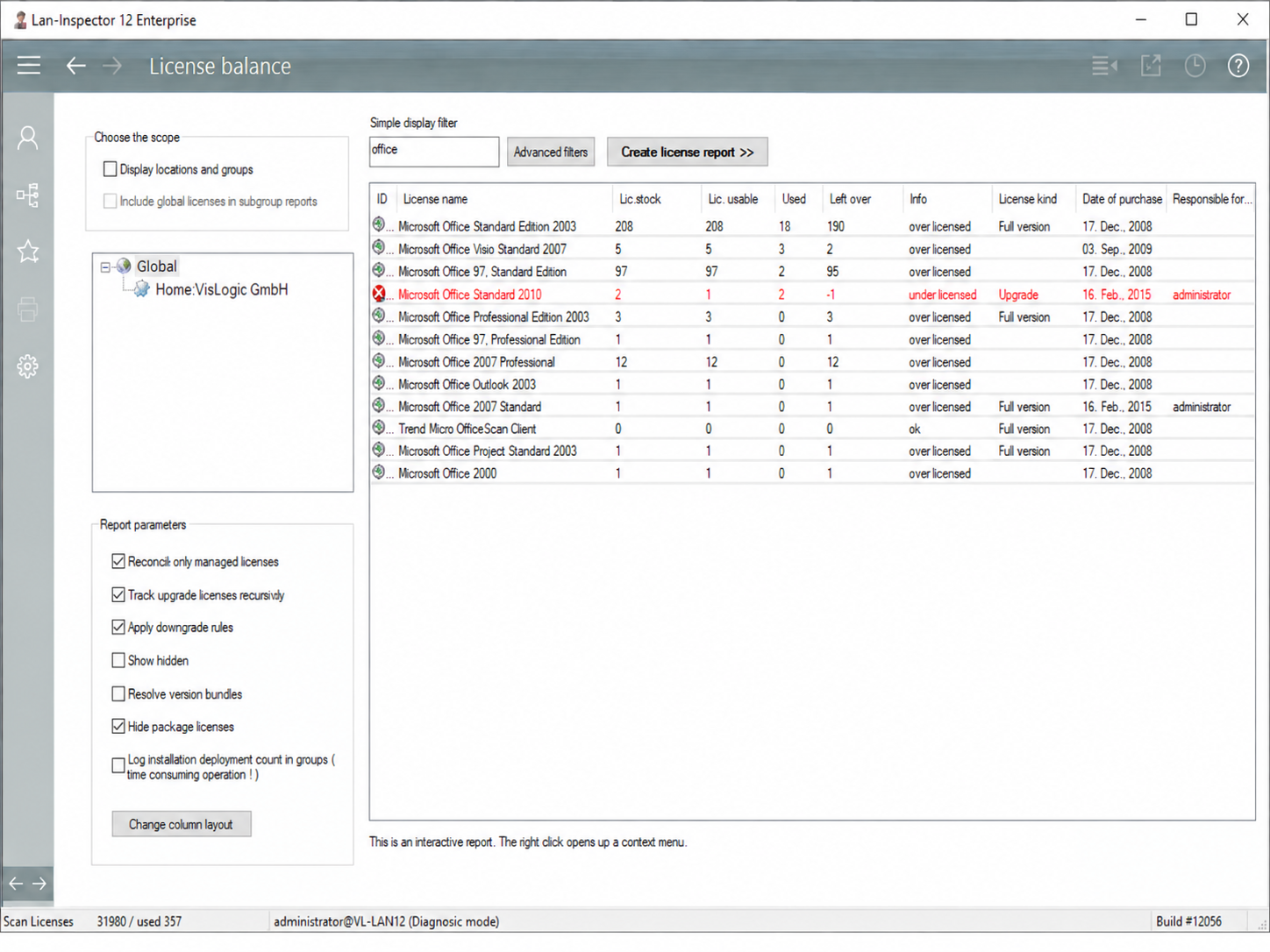
Lan-Inspector brings together available licenses, actual installations, license metrics and real software usage. This exposes underlicensing, unused installations and concrete optimization potential.
IT and procurement gain a reliable basis for additional purchases, contract discussions, uninstalls and the question of which software costs are actually justified.
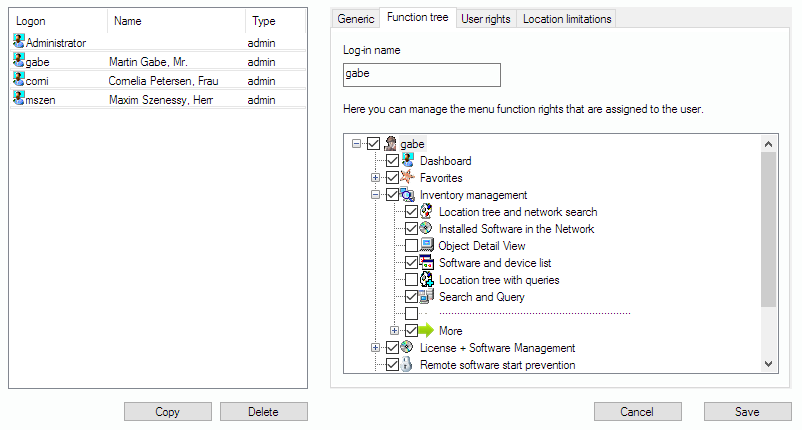
Multiple administrators can work with the central database in parallel. Roles and permissions can be aligned with each task—down to individual functions, license data and locations.
Lan-Inspector Enterprise does not stop at the current data state. Historical daily snapshots and historical license balances can be reopened with only a few steps – especially valuable for organizations with strict data-retention requirements and formal audit cycles, such as banks supervised by BaFin.
Open archived daily states in read-only mode and run the same queries or historical license balances against earlier points in time – useful for long retention periods and audit requirements.
Define any number of compliance sets and identify which computers meet the required software baseline.
Blacklist and whitelist rules support central launch prevention for defined executables and software products.
Usage analysis exposes rarely or never-started software as a basis for installation and contract optimization.
The Enterprise scheduler runs reports, scans, data import/export and reminders for expiring agreements and deadlines.
Open evaluations as HTML or CSV/Excel and distribute them directly to the people responsible.
The German and English documentation covers scan paths, license metrics, report automation, user permissions, archive access and further capabilities down to configuration level.
For a concrete evaluation of your environment, we align system scope, scan methods, licensing tasks, reporting and the permission model with you.