
Automation & administration

Automate recurring work. Control access precisely.

Lan-Inspector Enterprise turns queries into scheduled reports, individual workstations into central multi-user operation and unrestricted access into clearly defined roles.

Report management

Almost every view becomes a reusable report template.

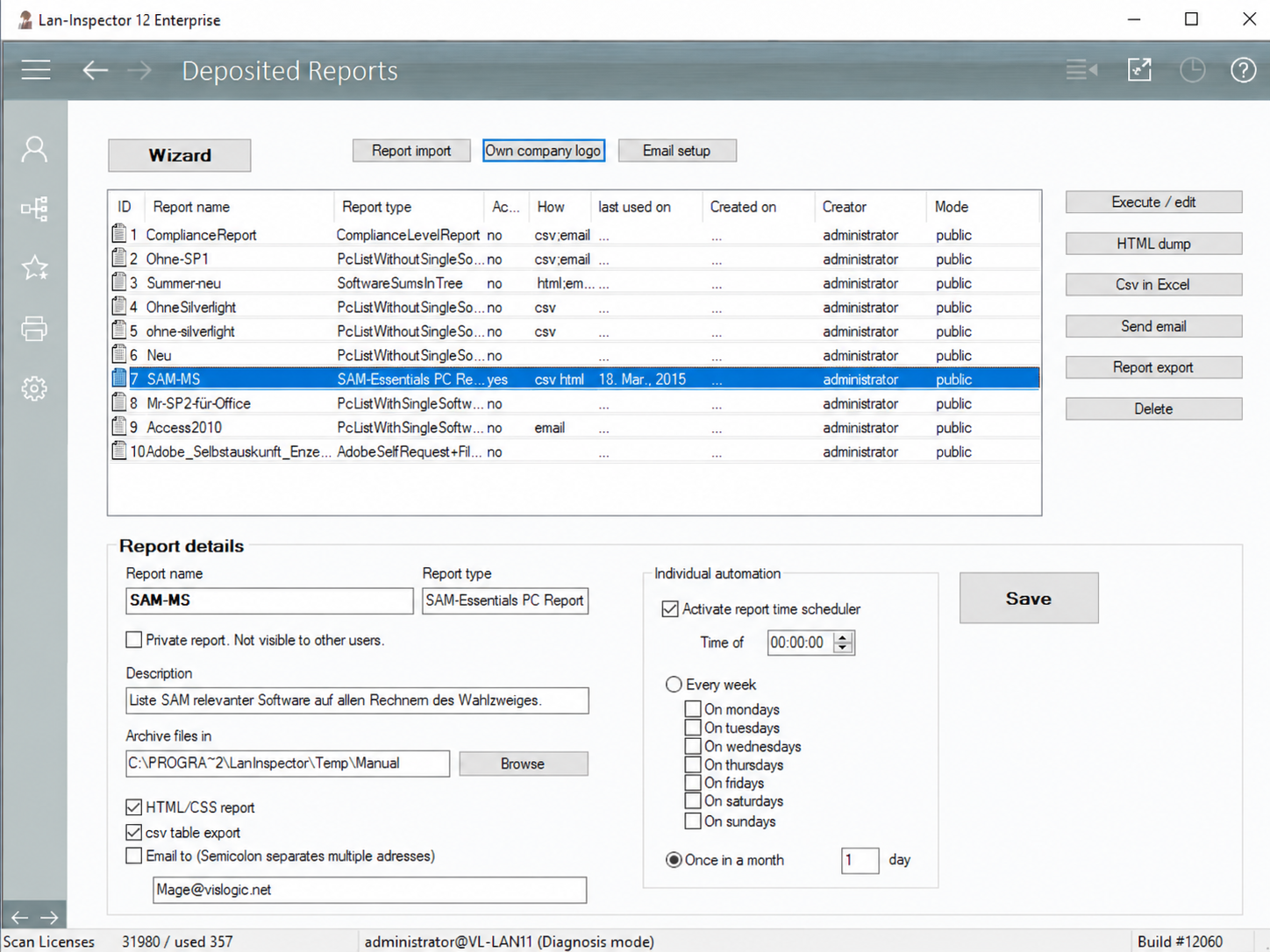
Views and queries can be stored including parameters, filters and column layout and then applied to current data at any time. This includes inventory lists, search jobs, license balances and many other evaluations.

  • Create report templates directly from the corresponding data views
  • Run manually, display as HTML or open as CSV/Excel
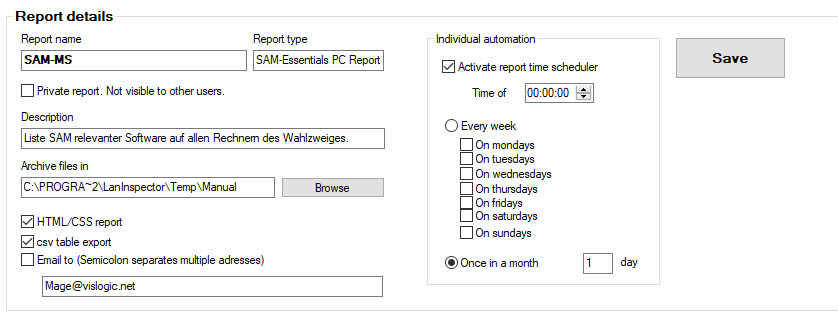
  • Execute on schedule in the background through the Enterprise Server
  • Deliver automatically by e-mail to one or multiple recipients
Report management with deposited reports
Report management with deposited reports.
Enterprise scheduler

Automation extends beyond report delivery.

Central scheduling processes planned tasks on the server. Important routines therefore continue even when no administrator is actively using the interface.

  • Recurring network scans
  • Automated data import and export
  • Execution and delivery of stored reports
  • Reminders for expiring license agreements and cancellation deadlines
Report schedule and delivery options
Report schedule and delivery options.
Users, roles & permissions

Each user sees and controls exactly what the task requires.

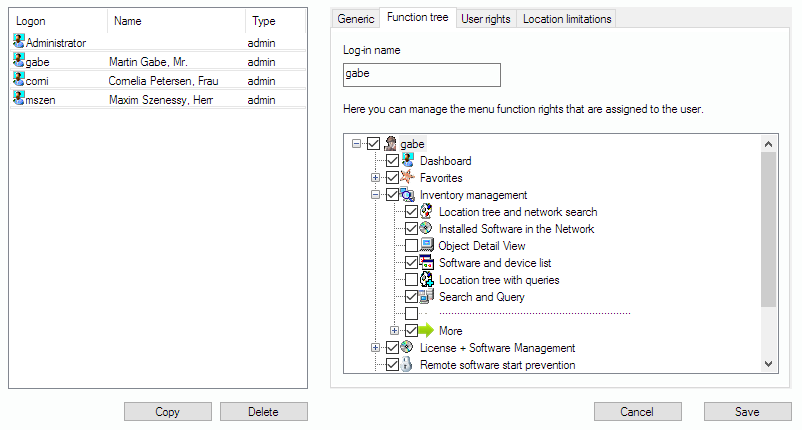
User accounts can be configured individually or copied as a basis for role profiles. The function tree controls which areas are visible at all. Additional permissions restrict sensitive actions, license data and locations.

  • Granular enablement or restriction of almost every function
  • Role profiles for different responsibilities
  • Access limited to defined locations and organizational scopes
  • Separate protection for commercial license information
Granular function tree for user permissions
Granular function tree for user permissions.
Central multi-user architecture

Multiple administrators work on the same data base.

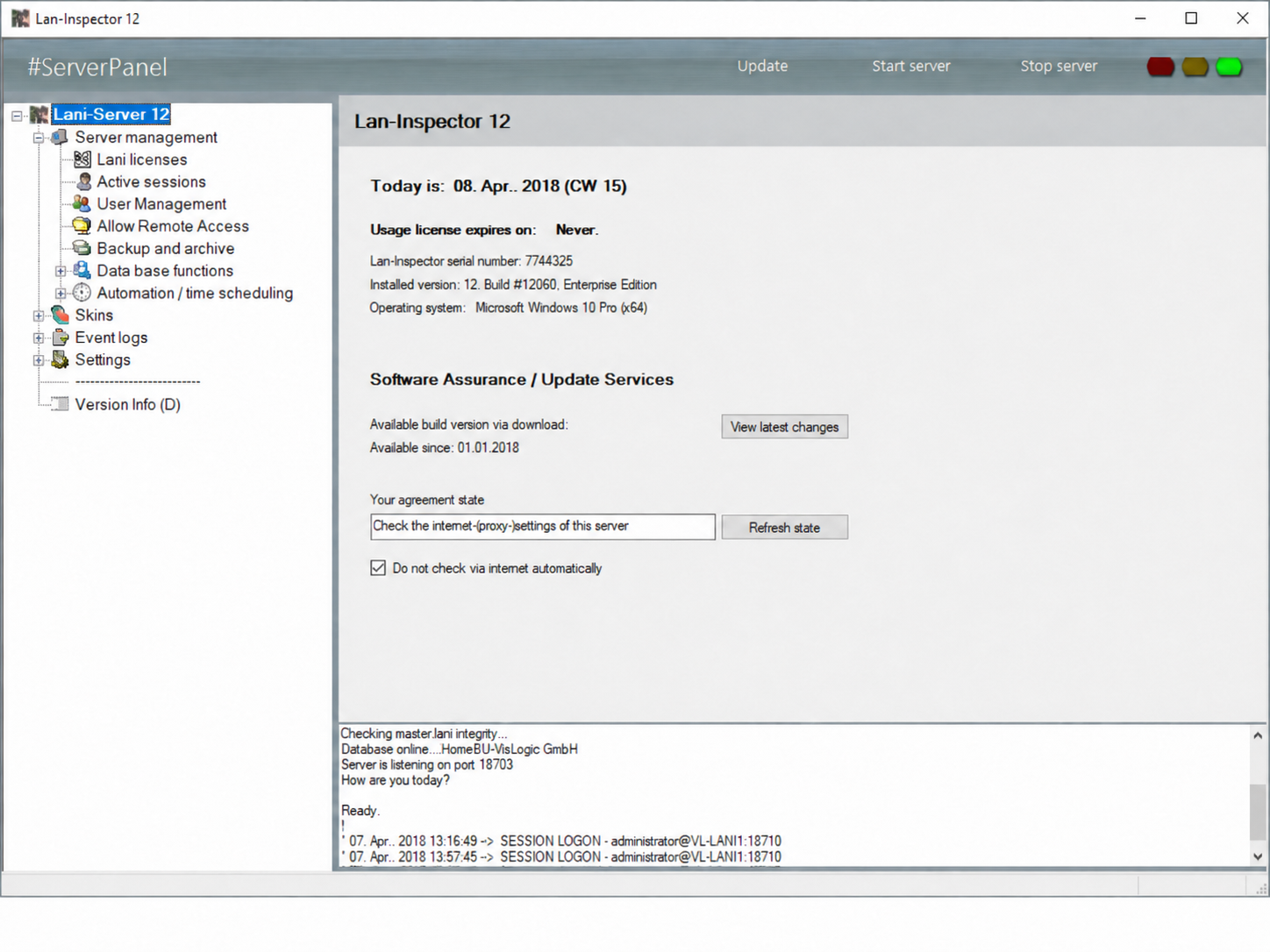
The Enterprise architecture enables parallel access to the central server database. Changes are synchronized between logged-on consoles through pull and push mechanisms. Authorized workstations can be centrally enabled for a Lan-Inspector console.

  • Parallel access for multiple administrators
  • Central database and synchronized changes
  • Workstation-specific access licenses
  • Centrally provisioned desktop link without a full local installation
Lan-Inspector Enterprise server panel
Lan-Inspector Enterprise server panel.
Control over time and standards

Historical evidence, compliance and software control.

Inventory and license data are not limited to a current snapshot. Lan-Inspector Enterprise combines live administration with historical daily states and definable software baselines – including historical license balances for audits, evidence and long retention periods.

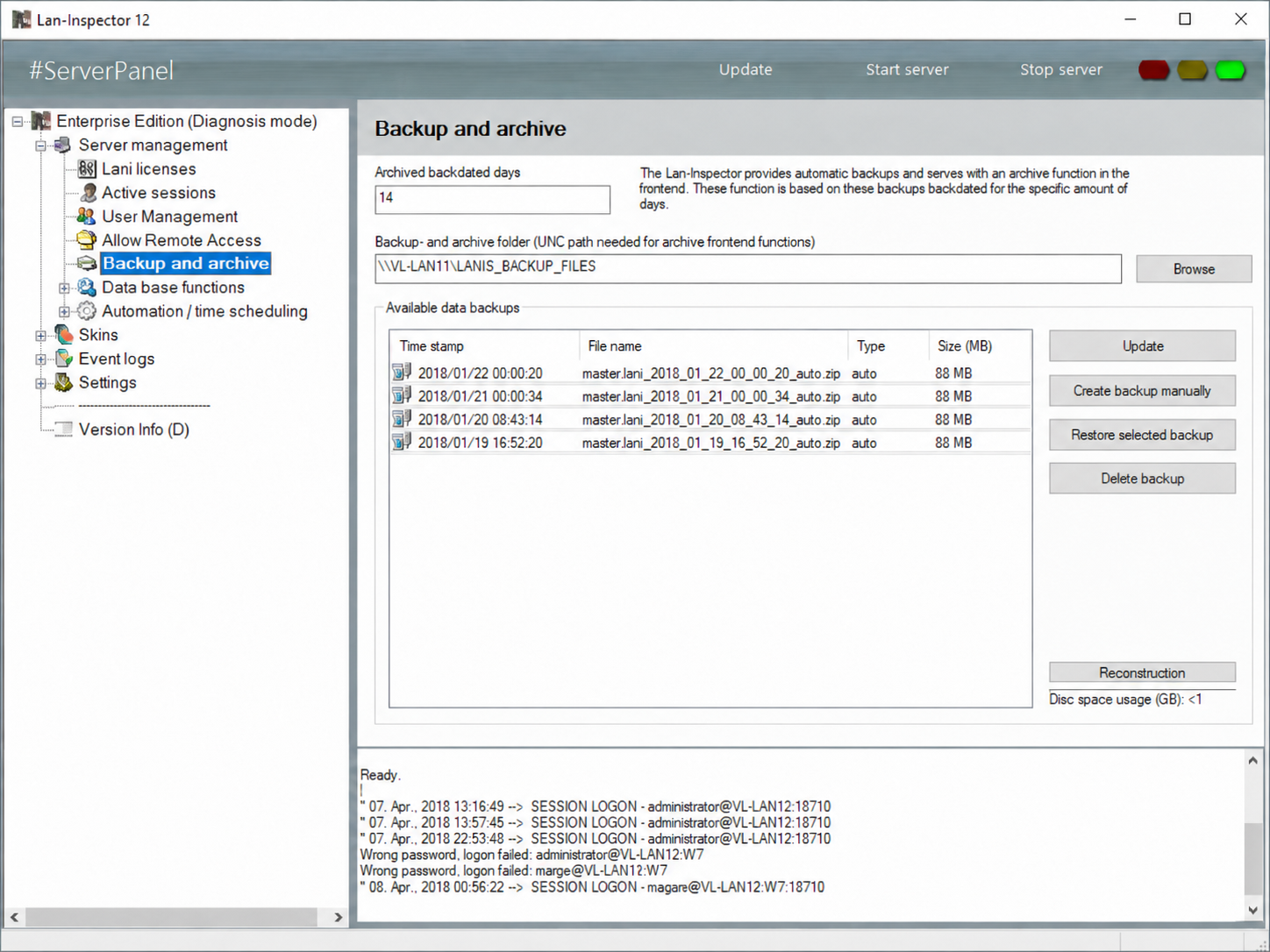
Archive

Revisit historical data states at any time

Daily data states can be opened in read-only mode. Full queries and historical license balances remain available there – especially valuable for organizations with strict data-retention requirements and formal audit cycles, such as banks supervised by BaFin.

Archive access in the manual ↗
Compliance

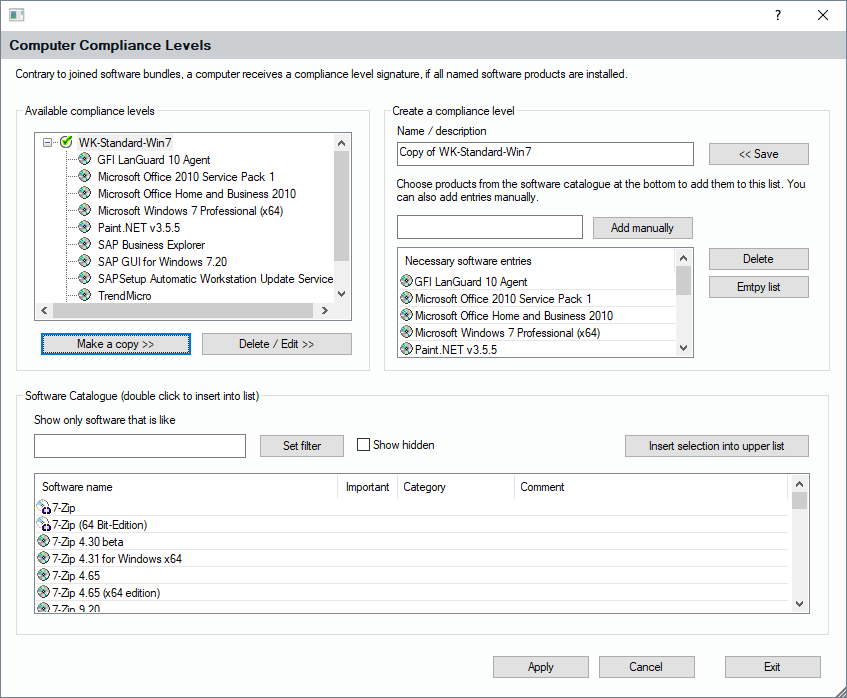
Define your own software baselines

Create any number of compliance sets and identify which computers meet the required software standard.

Compliance in the manual ↗
Software control

Prevent unwanted applications from launching

Blacklist and whitelist rules support centralized launch prevention for defined products or executables.

Launch prevention in the manual ↗
Backups and archives in the Enterprise server
Backups and archives in the Enterprise server.
Computer compliance levels
Computer compliance levels.
Enterprise operation

Automation and permissions aligned with your IT team.

We discuss reporting, scheduling, roles, locations, console access and the required server architecture.

Schedule a meeting