


Software
Registry and file detection
Products can be identified through installed entries, files and individually extended detection rules.
Lan-Inspector Enterprise is designed for a fast start: scan reachable systems actively and in parallel, complement hard-to-reach devices through alternative methods and use the results immediately.
Performance depends on network architecture, reachability, server resources and administrative permissions.
Administrators select a computer, location or complete branch and start inventory collection immediately. The parallel scan engine can contact many systems at the same time, while Scanboost and network load settings adapt processing to the environment. With suitable infrastructure and administrative permissions, approximately 5,000 systems can be inventoried in about 20–30 minutes.
The collected data is immediately available for searches, license balances and reports. This allows even large enterprise environments to become transparent very quickly, without a mandatory multi-week implementation or consulting phase before the first useful results are available.
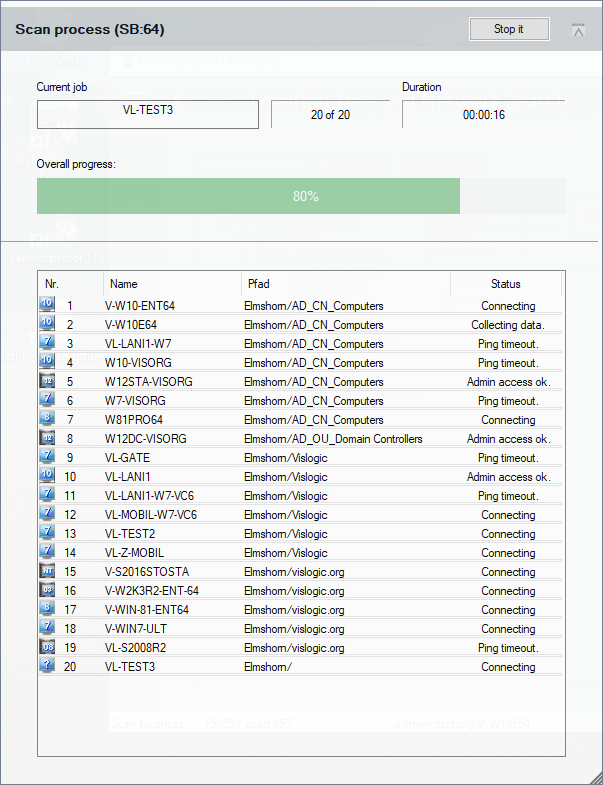
Scan on logon can complement active network scans when systems are not reliably reachable for direct scanning. Inventory collection is triggered when a user signs in, allowing notebooks and intermittently connected devices in particular to flow into the same central data set.
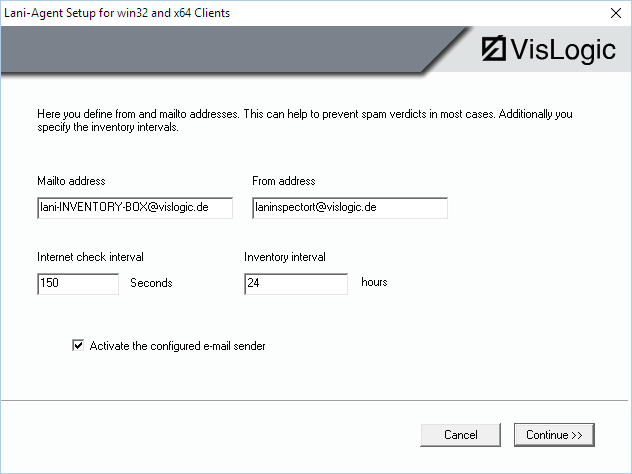
The e-mail capable agent checks for Internet connectivity and sends encrypted inventory data to a specified company mailbox. Lan-Inspector extracts the attachments and imports the data into the central inventory database.
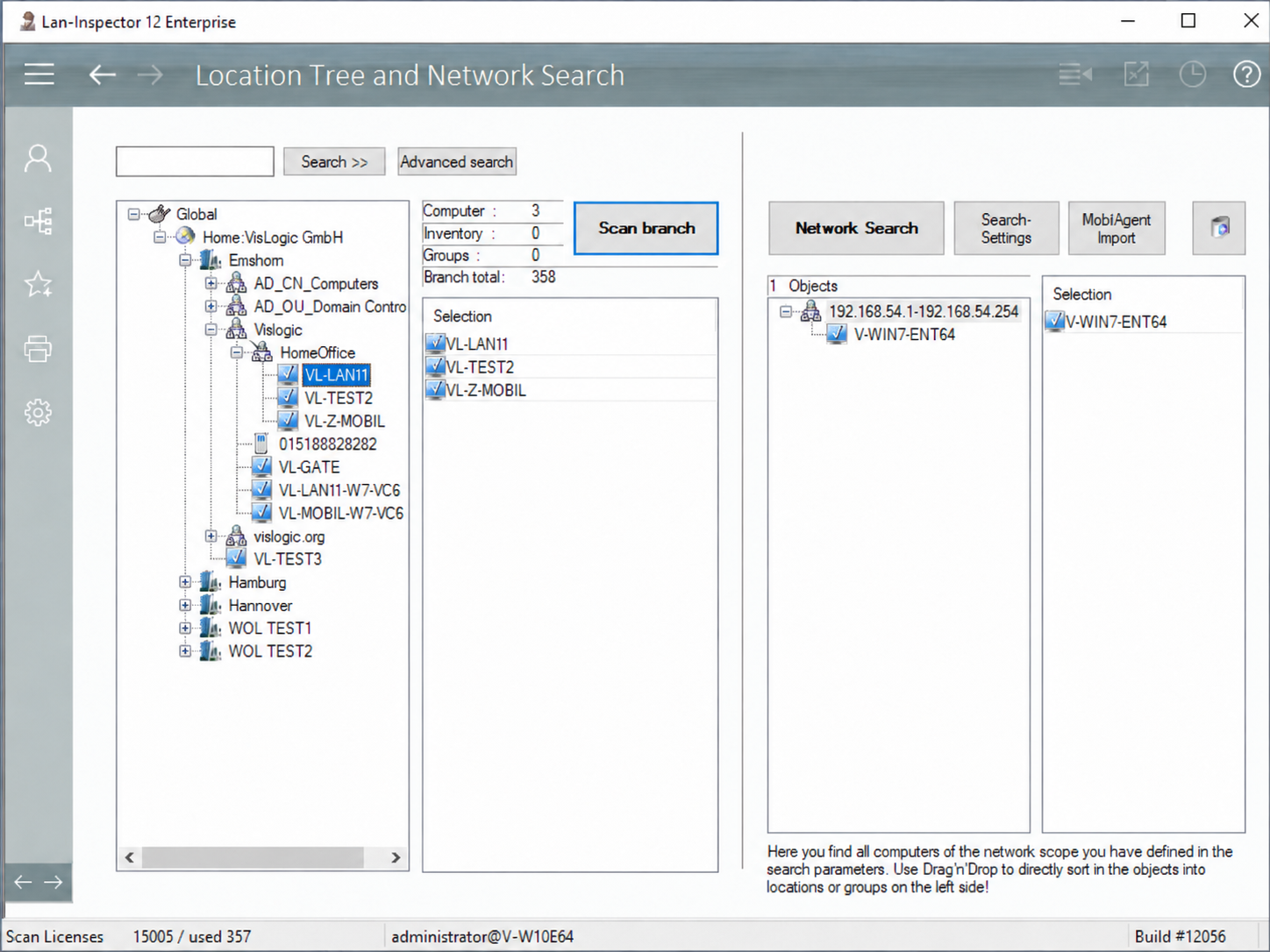
Active Directory, IP ranges and additional discovery methods provide the objects. The freely nested location tree represents companies, sites, departments and groups and scopes later queries to the required area.
Discovered systems can be assigned by drag and drop. Searches, queries, license balances and reports can then target individual locations, groups or complete branches.
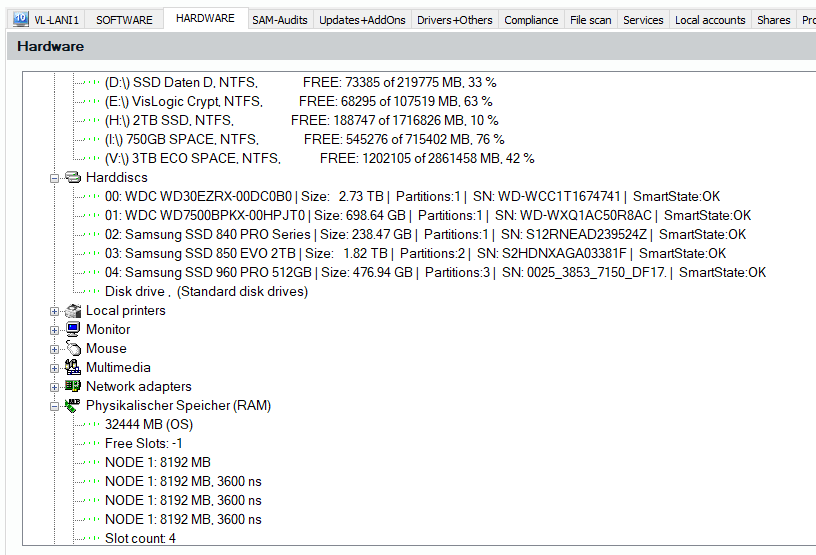
Lan-Inspector Enterprise combines registry and file-based detection with detailed hardware and system information. The result extends far beyond a simple application list.
Products can be identified through installed entries, files and individually extended detection rules.
CPU, memory slots, storage devices, serial numbers, partitions and further hardware data are collected in a structured form.
Local accounts, services, shares and running processes are available directly on each computer object.
File inventories, executables and freely defined search criteria extend software inventory.
Prepared views and custom queries answer questions such as: Where is product X installed? Where is it missing? Which hardware is affected? Which services, shares or processes run on a system? Results can be opened in Excel or saved as report templates.
Combine technical installation data with license stock, metrics and actual usage.
Explore license management