Scan Status Verification / Data Cleanup
The quality of your inventory database depends on how up to date the records are. This is the reason why you should consider repeating inventory scans of your network often and continuously. The "Scan Status Verifier" helps you check the date of the last scans and re-scan directly if the scan is too old.
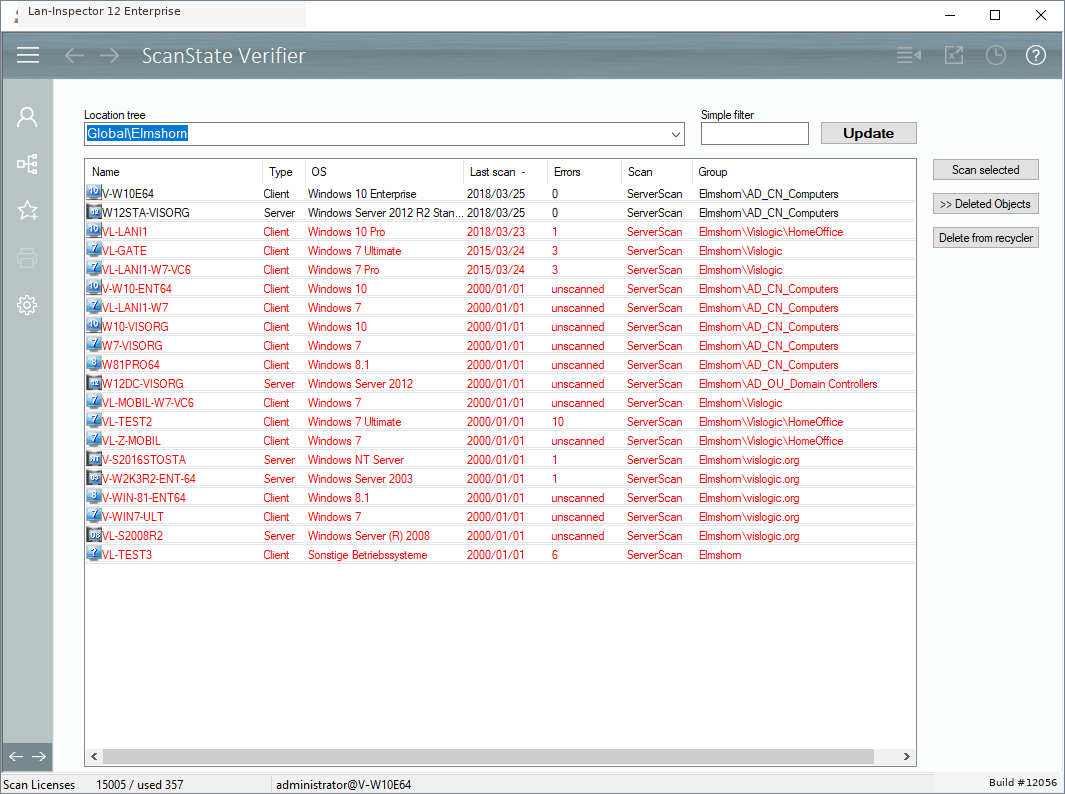
Use the dropdown field below location tree and choose the level you want to have a look on. Additionally, you can set a simple name filter to focus on certain computers. Click “Update” to get the records like in the picture.
You can select entries and sort the list by clicking a column header. Select computers whose data is out of date and click "Scan Selected" to update them. You can also move selected computers back to the pool or delete them permanently from the database.
The ones in the picture that show a date of the year 2000 are new PCs that haven’t been scanned at all, yet.
If you cannot scan all the same PCs all again, you can clean up those old objects, because they may have been physically removed from the network
.