Software Version Overview
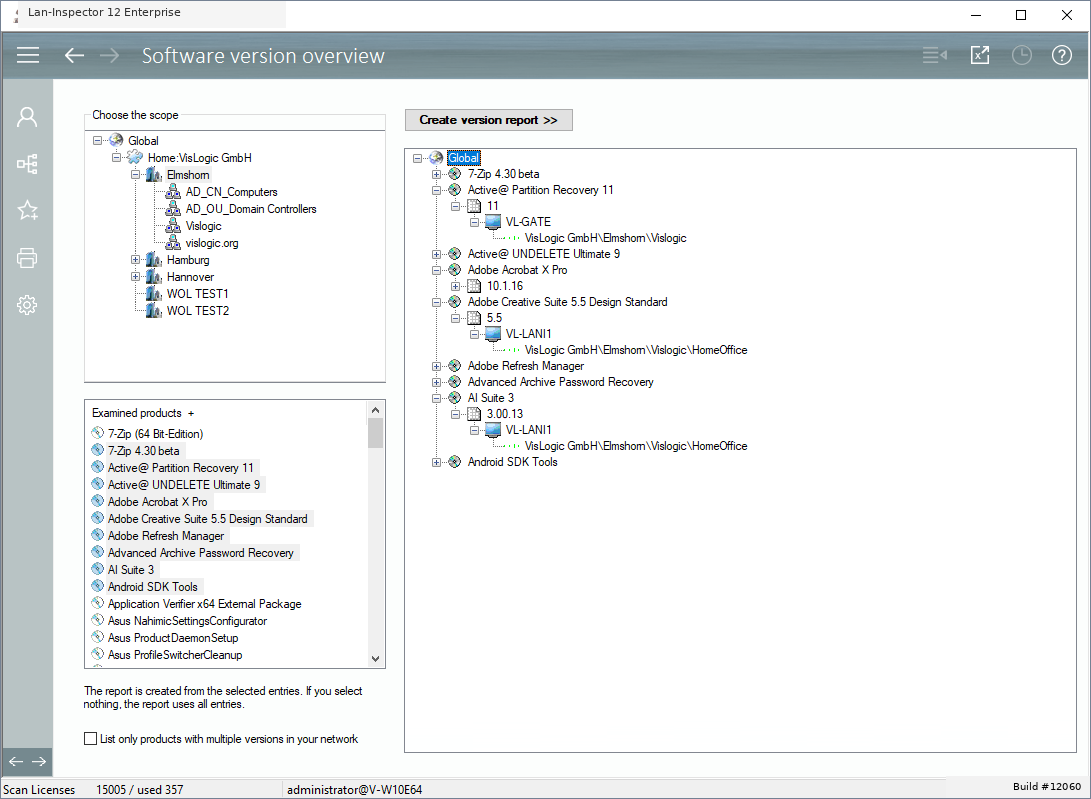
This function provides an overview of installed software by version. Select the scope of the query in the location tree, then select one or more products and start the query. The result shows the versions found within the selected area and helps identify computers that are running older or inconsistent releases.
The resulting tree contains the products you have chosen if they have been found in the database. Their child branches contain all existing versions of the product. The versions have child items that are corresponding to the computers that have this version installed.
If you are only interested in products that have more than one version in your network, you can activate the option below the list.
Note that you can also click on the “Excel-Button” in the top bar, to have the result as an excel list.