Tab: Permitted Users
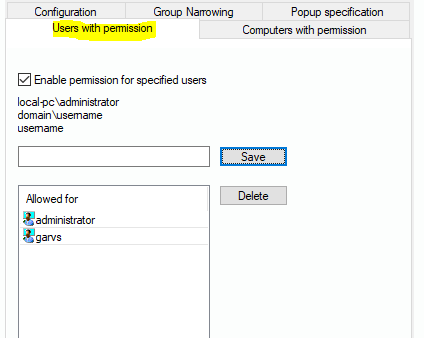
This tab dialog helps you set a list of (domain-) accounts that are not affected by this record set. Enter the account name and click on “Save”. You can also select an entry and remove it by clicking “Delete”.
This tab dialog helps you set a list of (domain-) accounts that are not affected by this record set. Enter the account name and click on “Save”. You can also select an entry and remove it by clicking “Delete”.